Part 4 of 5 in the Solopreneur Starter Series — a practical guide to building your business from scratch.
Your website doesn't need to be perfect before it goes live. It needs to be clear.
When most solopreneurs sit down to build a website, they immediately start thinking about colors and fonts. Those things matter — eventually. But they're not the first thing to figure out.
The first thing is structure. What pages does your site actually need? What do you want people to do when they land on it? What does a visitor need to see — and in what order — before they're ready to reach out or make a purchase?
Get that right, and the rest of it — the design, the copy, the little details — falls into place much more easily.
Here's how to build a Squarespace website for your small business without overcomplicating it — from the pages you need to the setup decisions that actually matter.
What to Build (and In What Order)
Squarespace gives you a lot of options. The goal is to use the ones that serve your business and skip the ones that don't. Here's the core structure that works for most solopreneurs.
1. START WITH THESE FOUR PAGES
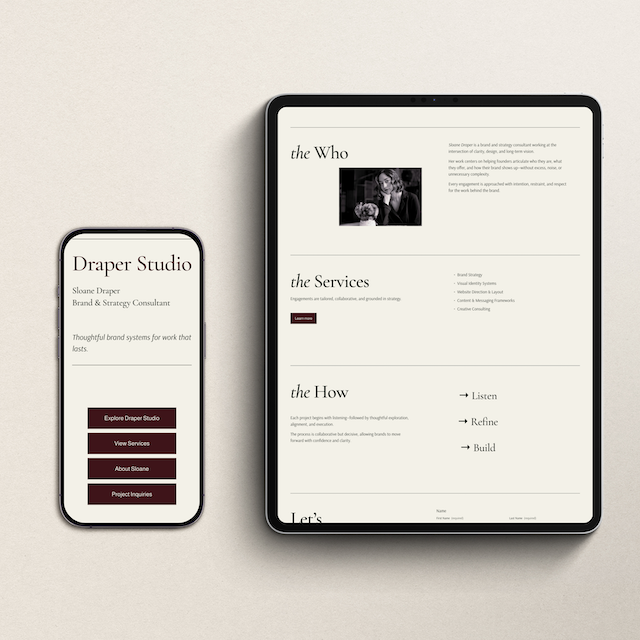
Most small business websites need four things and four things only: a homepage, an about page, a services page, and a contact page. That's it. Resist the urge to add more until those four are doing their job well.
Your homepage has one job — tell people what you do, who you do it for, and what to do next. Keep it focused. One primary call-to-action. Clear, plain language. No jargon.
Your about page is not a resume. It's a bridge — from whoever you are to why the reader should trust you with their problem. Write it in service of them, not yourself.
Your services page should make it easy to say yes. Clear descriptions, a sense of what it's like to work with you, and a direct path to inquiry. If someone lands here and can't figure out how to hire you, the page isn't working.
2. ADD A LINK-IN-BIO PAGE
If you're active on Instagram or Pinterest, a link-in-bio page on your own domain is significantly more professional than a third-party link tool — and it keeps your traffic on your site rather than sending it somewhere else.
Squarespace makes it simple to build a clean, minimal one. A photo, a one-sentence description, and four or five links. Done. It also gives you a small SEO boost by keeping visitors on your domain longer.
Want to go deeper on why this matters? Here's why your own link-in-bio page beats Linktree every time.
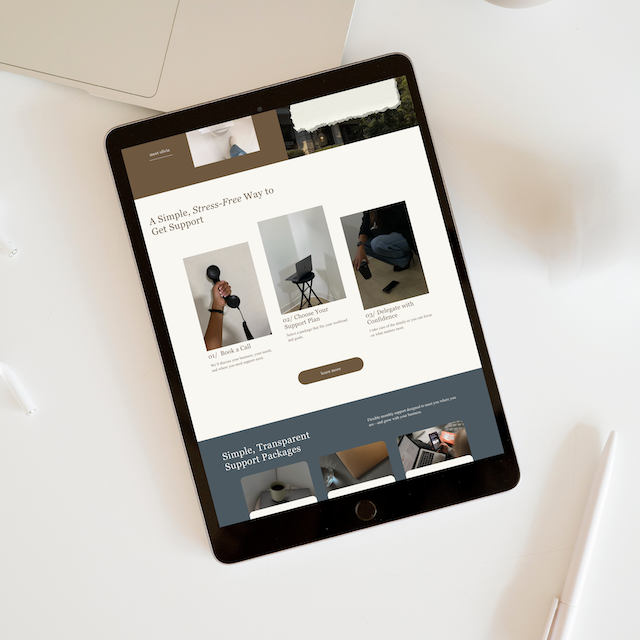
Want a Head Start on Your Website?
The Refined + Golden template shop has done-for-you Squarespace website templates designed for solopreneurs — clean, minimal, and ready to customize in a weekend.
3. SET UP THE DETAILS THAT MATTER FOR SEO
You don't need to be an SEO expert to give your site a solid foundation. A few things go a long way: a clear page title and meta description for each page, descriptive image filenames before you upload (Squarespace uses the filename as alt text), and a connected Google Search Console account so you can see how your site is performing over time.
Not sure how to set that up? I've got two posts that walk you through it: How to Set Up Google Search Console and How to Actually Use the Data Once You're In.
These aren't complicated — they just need to be done intentionally rather than left as defaults. A site that's set up correctly from the start is much easier to work with later.
4. DON'T LAUNCH EVERYTHING AT ONCE
One of the most common mistakes new website owners make is waiting until every page is perfect before going live. Then they never go live.
Launch with your four core pages. Add the blog when you're ready to write. Add the shop when your products are ready. A clear, simple site that's live is infinitely more valuable than a comprehensive site that's perpetually in draft.
You can always add more. You can't get back the inquiries you missed while you were still building.

Want Someone to Build It for You?
If you're ready to have a professional Squarespace website built from scratch — one that's designed to convert visitors into clients — Full Website Design is for you. You'll also receive 20% off your annual Squarespace plan when we work together.
A Website That Works Quietly in the Background
The best website for your small business isn't the most beautiful one or the most comprehensive one. It's the one that clearly communicates your offer, makes it easy to take the next step, and keeps working for you whether you're actively marketing or not.
Squarespace gives you the tools to build that. The structure in this post gives you the framework. The only thing left is to start — imperfectly, if needed, and refine as you go.
Your first client doesn't care about your font choice. They care about whether they trust you enough to click the contact button. Build for that.
{A clear, well-structured website is one of the quietest, most consistent marketing tools you'll ever have. Build it right, and let it do its job.}
Ready to Take the Next Step?
You've now got the structure to build a Squarespace website that actually works. Post 5 — the final post in the series — brings it all together: how to market your solopreneur business without burning out. And whenever you're ready to build the website that supports all of it — I've got options for every stage of the journey.
Everything you need to take the next step — wherever you're starting from.
Grab the free Brand Clarity Guide — get clear on who you help, what you offer, and how to say it before you build anything else. Every tool in this post works better with that clarity in place.
Browse the template shop — done-for-you Canva templates for your brand, your client documents, and your online presence. Professional design without the professional design cost.
Get clear on your business — Get clear on what your business actually needs.
Inquire about a custom Squarespace website — and receive 20% off your annual plan when we work together.
Join the newsletter — monthly slow-growth strategy, tool recommendations, and real notes from running a one-person web design studio. No noise, just signal.
-
For a solopreneur with clear content and a template to start from, a simple five-page Squarespace website can be set up in a weekend. The part that takes the most time is usually writing the copy — knowing what to say on each page. Get that done first, and the actual building goes quickly.
-
Yes — a custom domain (like yourname.com) is worth the small annual cost. It makes your site look professional, builds trust with visitors, and gives you full control over your brand online. Squarespace makes it easy to connect a domain purchased through them or through a third-party registrar like GoDaddy.
-
Yes — Squarespace is one of the best website platforms for solopreneurs because it requires no coding knowledge, includes built-in e-commerce and blogging tools, and produces professional-looking results without a large budget or technical team. It's especially strong for service providers, coaches, consultants, and creatives who want a beautiful site they can actually manage themselves.
Read the full series:
Part 1: Before You Build Anything — How to Get Clear on Your Business Idea
Part 2: The Tools You Actually Need to Start (And What to Skip)
Part 3: How to Get Your First Client or Customer Without a Big Following
Part 4: How to Build a Squarespace Website for Your Small Business ← you are here
Part 5: What to Do in Your First Year as a Solopreneur (coming soon)